TL;DR — I save every interesting-looking YouTube video to a playlist called To Review and never think about it again. Every night, an AI agent reads each video’s transcript, rates it 1–5 against my written interest profile, promotes the 4s and 5s to To Watch, and quietly discards the rest. I only ever open To Watch: a short queue where everything has already cleared my own bar. This post shows the whole thing: an interactive demo, how it works, and a single file you can hand to your own AI agent to build it for you. Since July there’s also a four-and-a-half-minute video version — made by the agents themselves.
To Review 5
the inbox — saved from any device
Claude Code under the hood — a 90-minute deep dive
You WON’T BELIEVE what GPT-6 just did 😱
Self-hosting your own LLM: a practical walkthrough
Top 10 AI tools in 2026 (#4 will shock you)
Weekly tech news recap #217
☾ nightly job
- fetch transcript
- rate vs. profile
- apply the gate
Five videos saved to the inbox during the day. Press run.
To Watch 0
score 4–5 — the only queue you open
—
Removed 0
—
This is the actual gate logic, animated. Five demo videos, real rules. Press run.
The problem
Watch Later is where videos go to die. Mine had years of archaeology in it: conference talks I was definitely going to watch, tutorials for projects I’d already finished, and an impressive collection of “10 AI tools” videos that were outdated a week after upload.
The asymmetry is the problem. Saving a video costs one tap. Deciding whether it actually deserves 40 minutes of my evening costs real effort. You have to start watching it. So the queue only ever grows, and picking something from it becomes its own chore. Meanwhile the recommendation algorithm happily fills any gap with whatever maximizes watch time, which is not the same thing as what I told myself I care about.
What I wanted sits between those two moments: a gate between “this looks interesting” and “this is worth my evening.” I didn’t want another app, a read-it-later service, or a browser extension. I wanted my existing save gesture to keep working — and someone else to do the judging.
That someone works nights.
How it works
The whole system is two ordinary YouTube playlists with a scheduled AI job between them. Here’s the full architecture — every moving part and where it runs:
YouTube
Data API v3 — free
☾ your home machine
a small script with one LLM call, or an agent session
the taste file
runs nightly · any always-on-ish box · the OAuth token stays here
the judge
a small model is plenty; ~$1–2/month
…or no API at all: an agent session judges for itself
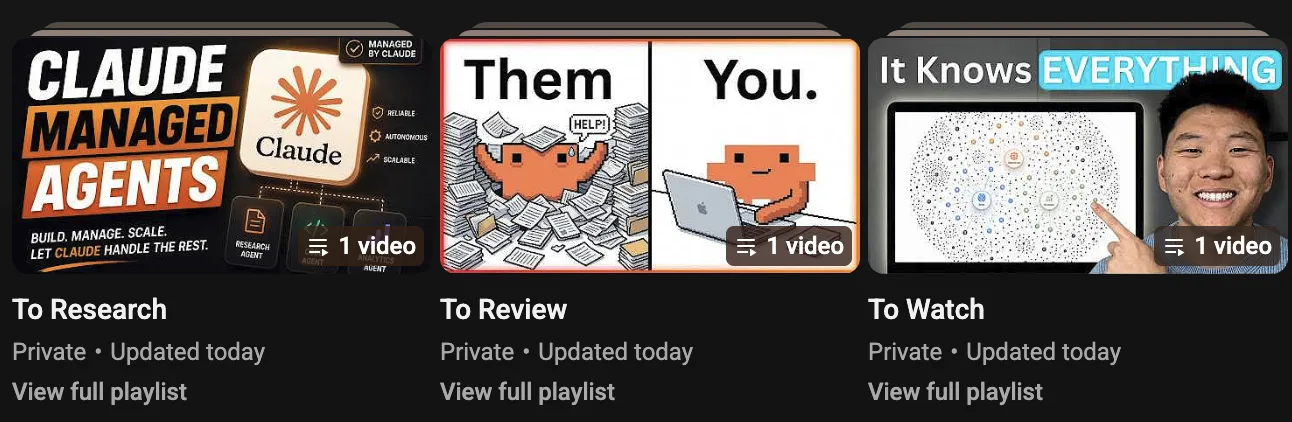
Playlists are the interface
To Review is the inbox. I save videos into it from anywhere: the phone app, the TV, a browser. That’s the only habit change, and it’s barely one: “Save to playlist” is two taps instead of one.
To Watch is the output, and the only queue I ever open. There’s no new app to adopt and nothing to sync. Every device I own already renders YouTube playlists perfectly, which means the mobile UX, auth, and offline behavior are all somebody else’s problem. YouTube’s, specifically.
The nightly job
A scheduled agent session (mine runs in Claude Code as a nightly routine) processes the inbox one video at a time:
- Fetch the transcript. Titles are optimized to be clicked; the transcript can’t hide what the video actually contains.
- Rate it 1–5 against my interest profile. The profile is one markdown file: topics with priorities, what earns my time, what loses it, and how strict to be. The agent reads the transcript, reads the profile, and scores the video with a one-line reason.
- Apply the gate. 4–5: add to To Watch, remove from To Review. 3 or below: remove. A 3 means “fine but generic.” And fine but generic is exactly what queues drown in, so the gate says no.
- Log one line.
processed 5 (2 promoted, 3 removed, 0 un-rated)plus a short reason per video. When the gate feels off, I read the log and tune the profile — not the code.
The interest profile is doing the heavy lifting here. Mine ranks AI coding tools above golf technique (sorry, golf), sets the quality bar at “depth over news,” and ends with one line that shapes everything: when in doubt, cut. A missed gem costs less than a wasted evening.
When it can’t judge
Some videos have no transcript to fetch. For those, the rule is conservative: promote it unrated and say so in the log. A false positive costs me a minute of skimming; a silently deleted gem would cost me trust in the whole pipeline. Same logic everywhere: any failure leaves the video in the inbox for tomorrow’s run. Nothing ever disappears because a script hiccuped.
What it costs
The YouTube Data API is free — the daily quota is 10,000 units and this pipeline uses a few hundred on a busy day. Transcripts are fetched with an open-source library. The rating is the only step that touches an LLM, and it’s cheap either way: as a plain API call it’s roughly $1–2 a month at five videos a day (a transcript is ~10k tokens, and small models are more than good enough for “does this match my profile?”). In my case it costs nothing extra: the job runs inside an agent subscription I already pay for.
Replicate it with one file
Here’s the part I actually want you to steal. You don’t need my scripts or my setup; the entire pipeline is described in one markdown file below. Hand it to an AI coding agent — Claude Code is the obvious choice, but anything with shell access and a scheduler works. The agent interviews you about your interests, then walks you through the one genuinely annoying step: Google Cloud OAuth, ten minutes of console clicking with the file holding your hand. After that it writes the helper script, tests it, and schedules the nightly job.
# Handoff: build me a YouTube curation pipeline

You are an AI coding agent (Claude Code or similar) with shell access, file access, and a way to run a job on a schedule. Your task: build a working YouTube curation pipeline for your user, then prove it works end-to-end.

Everything you need is in this file. Work through the milestones in order and verify each one before moving on.

## What you're building

Two ordinary YouTube playlists used as queues, with a nightly AI job between them:

```
[To Review]  ──►  nightly job  ──►  [To Watch]     score 4–5/5
  inbox            per video:
                   1. fetch transcript
                   2. rate 1–5 against
                      the user's interest
                      profile
                   3. apply the gate     ──►  removed      score ≤3
```

The user saves videos to **"To Review"** from any device — phone, TV, browser. Every night, a scheduled job fetches each video's transcript, rates it 1–5 against a personal interest profile, promotes 4–5/5 videos to **"To Watch"**, and removes the rest. The user only ever opens "To Watch": a short queue where everything already passed their own bar.

## Ground rules (non-negotiable)

1. **Only touch the two playlists this pipeline owns.** Never modify subscriptions, likes, watch history, or any other playlist.
2. **Removing = removing from the "To Review" playlist.** Nothing is ever deleted from YouTube itself.
3. **Conservative failure mode:** if you cannot rate a video (no transcript, fetch error), promote it to "To Watch" un-rated and say so in the log. Never silently discard anything.
4. **Secrets stay local.** OAuth credentials, tokens, and API keys live in local files with `chmod 600`, never in git, never echoed to the terminal.
5. **Verify every milestone** with a real command before telling the user it works.

## Milestone 0 — Interview your user (~5 minutes)

Ask one question at a time. Write the answers into `interests.md` using the template in Appendix A.

1. **Topics:** "What do you actually want to watch? List topics and rank each HIGH / MEDIUM / LOW." Push for concrete anchors: favorite channels, 2–3 videos they loved.
2. **Quality bar:** "What makes a video worth your time — depth, novelty, hands-on demos? And what makes you close one — fluff, hype, recycled news?"
3. **Languages:** which languages they watch in (transcripts exist for most).
4. **Strictness:** "Should the gate be aggressive (when in doubt, cut) or lenient (when in doubt, keep)?" Map this to the rubric in Appendix A.
5. **Rating engine:** does the user (a) have a cheap LLM API key (Anthropic, Google, OpenAI — any works), or (b) prefer the nightly job to run as an agent session in their existing agent subscription? This picks Path A or B in Milestone 5. Path A is the default: cheaper, deterministic, easier to schedule.

## Milestone 1 — Prerequisites

- Python 3.10+ and a virtualenv:

```bash
mkdir -p ~/youtube-curator && cd ~/youtube-curator
python3 -m venv .venv
.venv/bin/pip install google-api-python-client google-auth-oauthlib youtube-transcript-api
```

- Pin the transcript library version in a `requirements.txt` (its API changed between major versions — write code against the version you actually installed).
- Optional but recommended fallback for transcripts: `yt-dlp` (`brew install yt-dlp` / `pipx install yt-dlp`). Pin it too, and re-check it after YouTube-side breakages (`yt-dlp -U`).
- A Google account with YouTube.

Verify: `.venv/bin/python3 -c "import googleapiclient, google_auth_oauthlib"` exits 0.

## Milestone 2 — YouTube API access (the one manual part)

Your user must click through Google Cloud Console themselves — you can't do it for them, but you can give them the exact path. The console gets reorganized every few years, so if a menu name below doesn't match, search for the feature name inside the console. As of 2026:

1. Go to `console.cloud.google.com` → create project, name it `youtube-curator`.
2. **APIs & Services → Library** → enable **YouTube Data API v3**.
3. **APIs & Services → Google Auth Platform** (formerly "OAuth consent screen") → under **Audience**, set User type = **External** and add the user's own email under **Test users**; set the app name + support email under **Branding**.
4. **Clients → Create client → Desktop app** → download the JSON as `client_secret.json` into the project folder. `chmod 600` it.
5. **Important:** while the app is in *Testing* mode, refresh tokens expire every 7 days and the pipeline will silently stop. After the acceptance test passes, have the user publish the app (**Audience → Publish app**). Refresh tokens then stop expiring. The YouTube scope is a *sensitive* scope, so an unverified production app shows an "unverified app" warning during login (click *Advanced → continue* — expected) and is capped at 100 users, which is a non-issue because your user is the only user. Full Google verification is only needed to serve strangers.

Quota: the free tier gives 10,000 units/day. This pipeline uses roughly 100–500/day (playlist writes cost 50 units each) — nowhere near the limit.

**Headless machines:** the first OAuth run opens a browser (`InstalledAppFlow.run_local_server`) — Google removed the copy-paste (OOB) flow in 2022, so there is no browserless first auth. If the pipeline will live on a headless box (Raspberry Pi, NAS), run `yt.py auth` once on a machine with a display and copy the resulting `token.json` over. Refreshes after that are automatic and headless.

## Milestone 3 — Playlists

The simplest path: have the user create two **private** playlists in the YouTube app or website — `To Review` and `To Watch` — or reuse ones they already have. Get the playlist IDs (the `list=PL...` parameter in each playlist's URL) and store them in `config.json`:

```json
{ "to_review": "PL...", "to_watch": "PL..." }
```

## Milestone 4 — The helper script

Write `yt.py` — one file, argparse CLI, commands:

| Command | Behavior |
|---------|----------|
| `auth` | Run/refresh the OAuth flow (`google_auth_oauthlib.flow.InstalledAppFlow`, scope `https://www.googleapis.com/auth/youtube`), cache token to `token.json` (chmod 600) |
| `list <to_review\|to_watch>` | Print each video as `VIDEO_ID<TAB>title<TAB>channel` |
| `add <playlist> <video_id>` | `playlistItems.insert` |
| `remove <playlist> <video_id>` | Find the **playlist-item id** via `playlistItems.list(part="id", playlistId=<PL>, videoId=<VID>)`, then `playlistItems.delete(id=items[0].id)`. (Deletion needs the playlist-item id, not the video id — the classic trap.) |
| `transcript <video_id>` | Try `youtube-transcript-api` (any language from `interests.md`); on failure, fall back to `yt-dlp --write-auto-sub --skip-download` (prefer VTT/SRT formats) and parse the file; on total failure print `{"error": "..."}` |

Implementation notes:

- Read playlist IDs from `config.json`; token refresh should be automatic inside every command.
- Paginate `playlistItems.list` (`maxResults=50` + `pageToken`) — a first run against a years-old backlog will have more than 50 videos.
- Exit non-zero on failure so the nightly job can react.
- Test every command manually now: `auth`, `list`, `add` + `remove` a test video, `transcript` on a known video (e.g. any talk with captions).

## Milestone 5 — The nightly job (two paths — pick per Milestone 0, question 5)

Both paths implement the same loop and the same rules:

> For each video in "To Review": fetch transcript → rate 1–5 against `interests.md`
> (judge the transcript's CONTENT, not the title, in both directions) → score 4–5:
> add to "To Watch", then remove from "To Review"; score ≤3: remove. Transcript
> unavailable: promote un-rated. **Always add before remove** — never leave a video
> promoted and still in the inbox, and never removed-but-nowhere. Append one line to
> `curation-log.md`: date, counts (promoted / removed / un-rated), and a short
> per-video reason. If a command fails twice in a row, stop and leave the rest for
> tomorrow's run.

**Path A (default) — `rate.py` + one LLM API call per video.** Write `rate.py` that runs the loop above, calling a cheap LLM API for the rating: send `interests.md` as the system prompt and the transcript (plus title + channel) as the user message; ask for `SCORE: <1-5>` and `REASON: <one line>` and parse them. Any provider works — e.g. Claude Haiku costs roughly $1–2/month at 5 videos/day; Gemini's free tier costs nothing if the user stays within its daily request limits. Read the API key from an env var or a chmod-600 file. Deterministic, testable, cron-friendly.

**Path B — agent session.** If the user prefers running it inside their agent subscription: write the loop as a prompt file `nightly-job.md` ("Work in ~/youtube-curator. Run the YouTube curation pass: …" — the rules above, plus the `yt.py` commands to use), and schedule an agent session that executes it. You (the building agent) rate the videos directly in-session — no extra API key needed.

## Milestone 6 — Schedule it

1. **Default: the OS scheduler** — `cron` or `launchd` (macOS), `systemd` timer (Linux), Task Scheduler (Windows). Path A: run `rate.py` nightly. Path B: run a headless agent call, e.g. `claude -p "$(cat ~/youtube-curator/nightly-job.md)"`. Pick a time the machine is usually awake (e.g. 23:00).
2. **Click-free alternative** for non-terminal users: an agent app's built-in scheduled routine. Honest caveat: desktop-app schedulers are the least reliable option for unattended work (missed runs when the app is closed, occasional permission stalls) — prefer the OS scheduler when possible.

Two honest constraints to tell the user:

- The job only runs when this machine is awake. A missed night is harmless — the inbox just waits.
- **Don't move this to a cloud VM or CI runner.** YouTube blocks transcript fetching from datacenter IPs; the transcript step effectively requires a residential IP, so this pipeline belongs on a home machine (laptop, Mac mini, Raspberry Pi, NAS).

## Milestone 7 — Acceptance test (do not skip, do not fake)

1. Have the user drop **three** videos into "To Review": one clearly on-profile, one clearly off-profile, one borderline.
2. Run the job manually (Path A: `python3 rate.py`; Path B: execute `nightly-job.md` yourself, now).
3. Verify with `yt.py list` on both playlists: on-profile landed in "To Watch", off-profile is gone, and `curation-log.md` has the line with scores + reasons.
4. Walk the user through the reasons. If the borderline call feels wrong to them, tune `interests.md` (usually the strictness line), not the code.
5. Only after this passes, remind the user to publish the OAuth app (Milestone 2, step 5).

## Appendix A — interests.md template

```markdown
# My YouTube interest profile

## Topics
| Topic | Priority | Anchors (channels / example videos) |
|-------|----------|--------------------------------------|
| AI coding tools | HIGH | ... |
| Woodworking | MEDIUM | ... |
| ... | LOW | ... |

## What earns my time
Depth over news. Hands-on demos over opinion. Original analysis over recaps.

## What loses my time
Hype without substance, 20-minute videos with 3 minutes of content, reaction content.

## Languages
English, Czech.

## Strictness
When in doubt, cut. A missed gem costs less than a wasted evening.

## Rubric (scale the nightly job uses)
5 — squarely in a HIGH topic AND clears the quality bar; I'd watch it tonight.
4 — solid: on-topic with real substance, or exceptional content in a MEDIUM topic.
3 — fine but generic; I wouldn't miss it. (Gate: removed.)
2 — off-profile or thin content.
1 — clickbait, hype, or noise.
```

## Appendix B — Troubleshooting

| Symptom | Fix |
|---------|-----|
| OAuth works, then dies after a week | App still in Testing mode → publish it (Milestone 2, step 5) |
| `transcript` fails on everything | Transcript scraping is IP-blocked or the library broke after a YouTube change → update the pinned `yt-dlp` (`yt-dlp -U`) and the transcript library; if running on a cloud/datacenter IP, move to a home machine |
| A whole run promotes everything un-rated | That's the transcript layer being down, not an unusually good inbox — see the row above. The log's un-rated count is your health signal |
| `remove` says video not found | You're passing a video id where a playlist-item id is needed — see Milestone 4 |
| Job never runs | Machine asleep at schedule time → pick a time it's awake, or accept catch-up-next-day behavior |
| Everything gets removed / everything passes | Tune `interests.md` strictness line and topic priorities; re-run on 2–3 known videos |

## Appendix C — Zero-machine variant (Google Apps Script + Gemini)

If the user has no machine that's reliably awake, offer this variant instead of Milestones 4–6: a **Google Apps Script** project (script.google.com) with the **YouTube advanced service** enabled for playlist read/write, a **daily time-driven trigger**, and a `UrlFetchApp` call to the **Gemini API** passing each video's YouTube **URL** directly — Gemini analyzes the video itself, so there is no transcript scraping at all. Store `interests.md`'s content as a constant in the script; same rules, same gate, log to a Google Sheet or the script's log. Costs nothing (Apps Script is free; Gemini's free tier covers a few videos a day — it allows up to 8 hours of YouTube video per day as of 2026, public videos only). Trade-offs: the GCP setup (Milestone 2) is still required, the user now owns ~100 lines of JavaScript instead of Python, and Gemini's URL-ingestion free allowance is a preview feature that may change.
The file offers two ways to run the nightly loop. The default is a small script that makes one cheap LLM API call per video. It’s deterministic and easy to test, and it costs a couple of dollars a month. If you already live in an agent runtime, the alternative is running the loop as a scheduled agent session: zero glue code for the rating, and tuning means editing prose instead of Python. Same plumbing underneath either way.
Three honest warnings. First, the Google OAuth app defaults to “Testing” mode, where your token silently dies every seven days. The file tells your agent to fix that, but if your pipeline mysteriously stops after a week, that’s the culprit. Second, don’t try to be clever and run this on a cloud VM or CI runner: YouTube blocks transcript fetching from datacenter IPs, so the pipeline belongs on a home machine. Third, it only runs when that machine is awake. A missed night is harmless; the inbox just waits.
The advanced version
The simple pipeline answers one question: is this worth watching? After a few months I realized I was saving some videos for a different reason: not to watch them, but because they might change how I work. A new agent framework, a workflow pattern, a tool someone demoed. For those, “watch it eventually” is the wrong outcome. The right outcome is “tell me what to do about it.”
So my real setup has a second lane.
lane 1 — the bouncer (this post, unchanged): To Review → the judge → To Watch
lane 2 — the analyst
“what should I do about this?”
what’s actually new to me?
reads the source; “recommend” or “hypothesis”
whole video
just the minutes, deep-linked
vetted actions, ready to apply
⤷ when a topic earns it: deep research — browser-driven Gemini + Claude
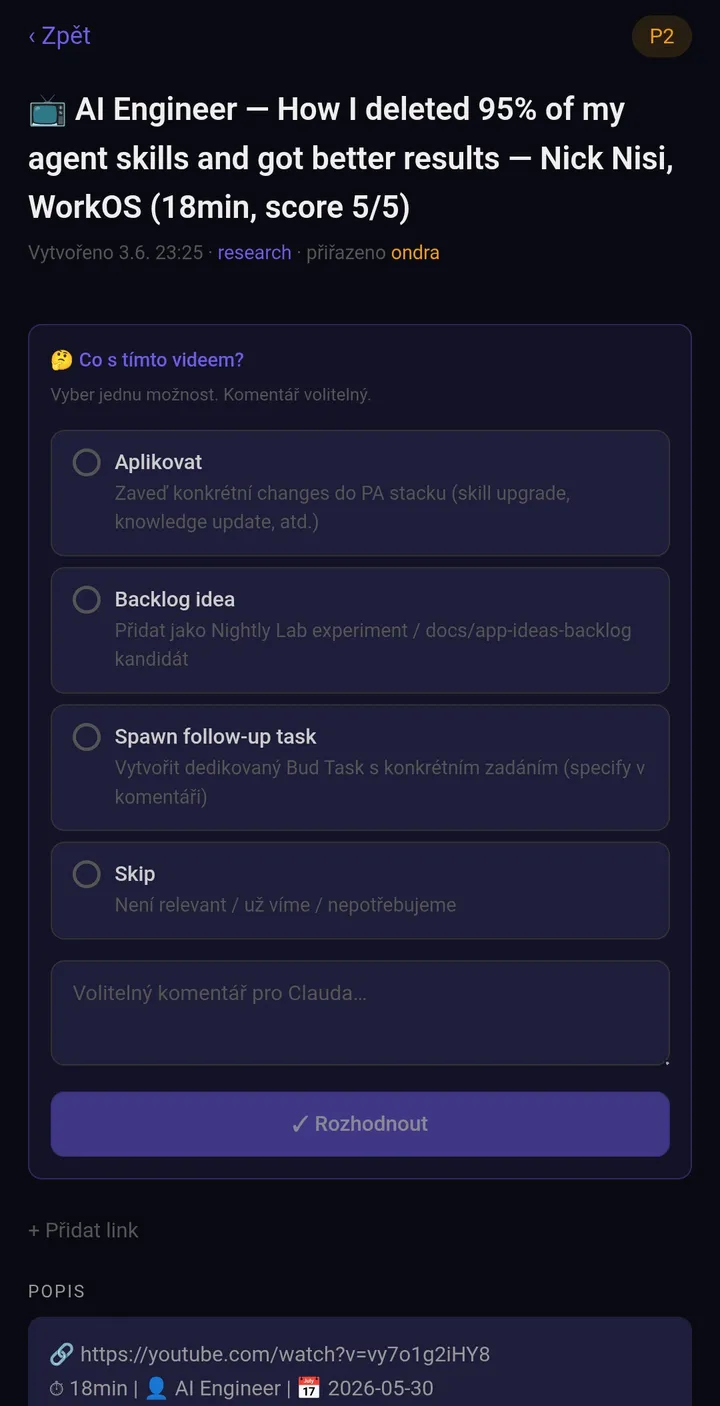
Videos I drop into To Research get a heavier treatment than a 1–5 score:
- An evaluator agent reads the transcript and produces a structured verdict: what the video claims, which ideas are actually new to me (it searches my personal knowledge base and past research notes to check), and which minutes carry the substance, with timestamps.
- A vetting agent then plays skeptic. If the video links a repo or docs, it reads the source. A transcript’s claims about a tool are weaker evidence than the tool itself. Every proposed action gets sorted into “recommend” (verified, concrete benefit) or “hypothesis” (interesting, unproven). This stage exists because of a video that pitched three workflow improvements; on inspection, zero survived contact with my actual setup.
- Videos worth full attention go to To Watch. Videos where only minutes 8–14 matter go to a third playlist, To Skim, and the deep links to those exact segments land in a task in my todo app together with the vetted actions, so Saturday-morning me knows precisely what to do with it.
- When a topic earns it, the pipeline escalates to deep research: browser automation drives Gemini Deep Research and Claude, and their reports get synthesized with the agent’s own findings into a single document with confidence levels.
That version leans on my personal-assistant stack (a knowledge base the agents read, a task API they write to, browser automation for the research tools), so it’s not a copy-paste job. But the pattern generalizes: separate “filter my inputs” from “extract decisions from my inputs.” The first lane is a bouncer. The second is an analyst. Once the bouncer works, you’ll know exactly which videos deserve the analyst, and the simple pipeline is the right place to start.
Alternatives I considered
I had two research agents attack this design before publishing. The short version: nothing turnkey does this job, and one alternative is genuinely worth knowing about.
| Option | Where it fails |
|---|---|
| ChatGPT scheduled tasks, Gemini scheduled actions | Can’t read or write a YouTube playlist; they can schedule a prompt, not touch your queues |
| Zapier / Make / n8n | The honest flow (playlist trigger + transcript + LLM + playlist writes) needs a paid tier on Zapier ($20–30/month for what costs ~$2 DIY); Make’s free tier is marginal and its video path unverified; n8n’s free option means self-hosting a server |
| Summarizer browser extensions | On-demand, per video, while you’re already watching. No unattended gate, no personal profile |
| Watch Later as the inbox | Its API has been dead since 2016. Playlists are the only queue you can automate |
Playlists as the interface survived every challenge: nothing else keeps the native save gesture from a phone or TV. And the “judge the transcript, not the thumbnail” rule turns out to be load-bearing in an unexpected way. The official YouTube API won’t give you captions for videos you don’t own, so every content-judging pipeline either scrapes transcripts like mine does, or needs a model that can watch the video itself.
Which brings me to the one alternative that beat my setup on infrastructure: Google Apps Script + Gemini. Apps Script runs free in Google’s cloud with native playlist access and a daily trigger, so no machine of yours needs to be awake. And Gemini accepts a YouTube URL directly, which means there’s no transcript scraping to break; the model watches the video. Zero cost end to end. The catches: the Google Cloud setup (the genuinely annoying part) is identical, you own ~100 lines of JavaScript instead of a prompt, and the URL-ingestion free allowance is a preview feature that may change. If you don’t have an always-on-ish computer, that’s your version. The handoff file includes it as the zero-machine variant, and your agent will happily build that one instead.
The research also changed this post. The first draft ran the rating inside an agent session and called it a day; the adversarial agent correctly pointed out that for most people, a script with one API call is cheaper to run, easier to schedule, and deterministic. That’s now the default path in the handoff file, and the agent session is the variant for people who already live in one. When your reviewer is an agent arguing against agents, you listen.
Watch it instead
In late July the night shift turned this post into a video: four and a half minutes, the same system, tighter visuals. Agents made it; I reviewed it. The narration is an AI clone of my voice, and all the terminal footage was recorded from real runs of the actual pipeline. How that production went, including everything that broke, is a story for its own post.
 4:35
4:35
The result
The pipeline has been running nightly for months. My To Watch queue is short and current. It is also embarrassingly good. Most of what I save never survives the gate, which is exactly the point: every removed video is an evening not spent on “fine but generic.”
The only real downside: I’ve run out of excuses for not watching the good ones.